
How to Set Up Home Office Guide 2026: Create Your Ideal Workspace
Setting up a productive home office in 2026 requires more than just a desk and chair. Whether you're a freelancer, remote employee, or entrepreneur, creating an efficient workspace directly impacts your productivity, health, and work satisfaction. This comprehensive home office setup guide 2026 covers everything from ergonomic furniture to technology infrastructure, helping you build a workspace that supports your professional goals.
Assess Your Space and Plan Layout
Before purchasing anything, evaluate the area where you'll work. Identify natural light sources, electrical outlets, and potential distractions. Your workspace should be separate from living areas when possible, creating a mental boundary between work and relaxation.
- Measure your room to determine furniture dimensions
- Check natural light availability throughout the day
- Locate power outlets and plan cable management
- Identify noise sources (traffic, appliances, family activities)
- Ensure adequate ventilation for comfort during long work sessions
Essential Furniture and Ergonomics
Investing in proper furniture is crucial for your long-term health and comfort. Poorly designed setups lead to back pain, neck strain, and reduced productivity over time.
Desk Selection
Choose a desk that fits your workflow and space. Standing desks have gained popularity for health benefits, while traditional desks work well for focused tasks. Height-adjustable options offer flexibility. Your desk should be deep enough (24-30 inches) to accommodate monitors at arm's length while providing work surface area.
Chair and Seating
A quality ergonomic chair is your most important investment. Look for:
- Lumbar support matching your spine's natural curve
- Adjustable seat height (feet flat on floor, knees at 90 degrees)
- Armrests supporting your forearms while typing
- Breathable materials for all-day comfort
- Five-point base for stability
Storage Solutions
Organized storage reduces clutter and improves focus. Include:
- Filing cabinets for important documents
- Shelving units for books and reference materials
- Desk organizers for supplies and daily items
- Cable management boxes to hide cords
Technology and Equipment Setup
Modern home offices require reliable technology infrastructure. Check live market signals for current technology trends and pricing before making significant purchases.
Monitor and Display Setup
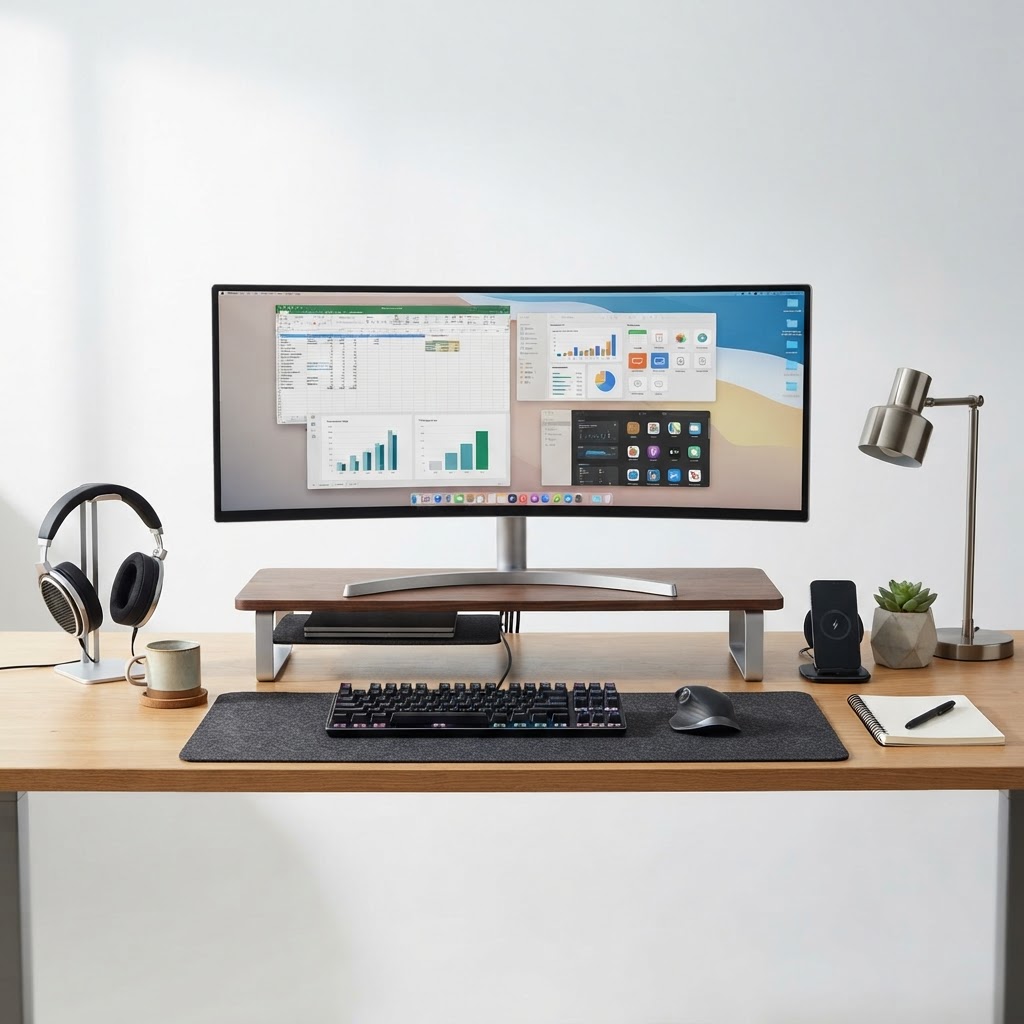
Multiple monitors boost productivity. Position your primary monitor at eye level, 20-26 inches away. If using a laptop, elevate it on a stand to maintain proper head position. Consider:
- Dual monitors for multitasking and reference work
- High-resolution displays reducing eye strain
- Anti-glare filters for screen protection
- Adjustable stands for ergonomic positioning
Keyboard and Mouse
Separate keyboard and mouse prevent wrist strain. Choose ergonomic options with proper wrist support. Wireless peripherals reduce cable clutter while maintaining responsiveness suitable for professional work.
Internet and Connectivity
Reliable internet is non-negotiable. If your current connection is unstable:
- Upgrade your router for stronger signal
- Consider wired ethernet connection for critical tasks
- Test speeds during typical work hours
- Have backup connectivity options available
Audio Equipment
Clear communication matters. Invest in:
- Headphones with microphone for calls and video meetings
- External speakers if needed for presentations
- Noise-canceling technology for focus during concentration periods
Lighting and Environmental Control
Proper lighting prevents eye strain and maintains alertness. Combine multiple light sources for optimal results.
- Natural light as primary source when available
- Desk lamp with warm color temperature (2700K) for evening work
- Overhead lighting providing general illumination
- Anti-glare measures on screens and surfaces
Productivity and Wellness Additions
Beyond furniture and tech, small additions boost your workspace quality. Use free product recommendation tools to compare options for desk accessories and wellness items.
- Plants improving air quality and reducing stress
- Water bottle promoting hydration throughout the day
- Clock or timer for time management techniques
- Desk accessories personalizing your space
- Footrest supporting proper posture if needed
Budget and Implementation Strategy
Building your home office doesn't require unlimited spending. Prioritize essentials first:
- Ergonomic chair (highest impact on health)
- Suitable desk (accommodates your workflow)
- Monitor and peripherals (enables efficient work)
- Proper lighting (prevents health issues)
- Storage solutions (maintains organization)
Final Thoughts
Your home office setup significantly influences your professional success and personal well-being. Take time implementing this how to set up home office guide 2026 systematically rather than rushing purchases. Test configurations before committing to furniture arrangements. Remember that your ideal setup may evolve as your work changes.
Explore additional home office products and recommendations by visiting browse the full store where you'll discover curated selections for every budget and preference. Your workspace should reflect your work style, values, and aspirations—making it somewhere you genuinely enjoy spending your professional hours.
🛒 Top Picks Available on Amazon.ae
Affiliate disclosure: Nkul Nexus (FZE) may earn a small commission. No extra cost to you.
🔗 More from Nkul Nexus (FZE):